
Lifestyle
Transform Your Home Office: 5 Ways a NAS Boosts Productivity

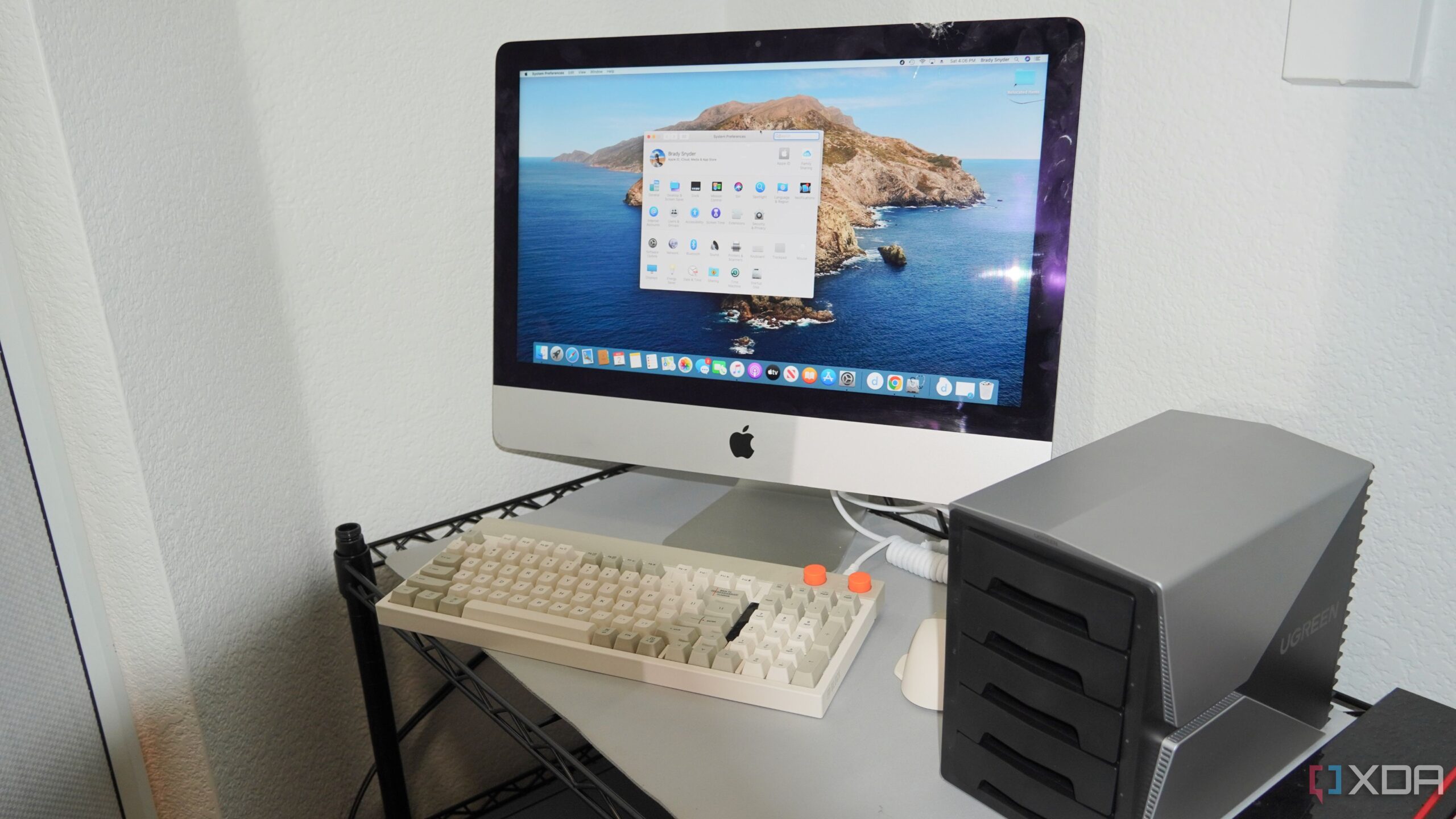
Working from home can often appear as the ideal solution for achieving work-life balance. However, for those who have navigated this arrangement for years, the reality can be chaotic and demanding. A central element to a smoother experience is a Network Attached Storage (NAS) system, which can significantly enhance productivity and organization. Here are five compelling ways a NAS can transform a home office setup.
Centralizing Your Data
Before integrating a NAS into my workspace, my files were scattered across multiple devices, including laptops, desktops, and various cloud storage solutions. This chaotic organization meant I spent more time searching for documents than completing tasks. Transitioning everything to a NAS—a substantial undertaking—allowed me to consolidate my files in one accessible location. With the NAS, files are easily found through search functions, relieving the mental burden of file organization.
Seamless Device Synchronization
Switching between devices can be a source of frustration, especially when files exist on multiple machines. On challenging days, I discovered duplicate versions of documents, complicating my workflow. While applications like Google Drive offer syncing capabilities, relying on a cloud service can introduce unnecessary complications. By utilizing Synology Drive for my NAS, I established synchronization tasks for frequently used folders. This means I can access the latest files across my desktop, laptop, or even smartphone without the stress of version control.
Enhancing Laptop Performance
My laptop operates quietly due to its fanless design, but it can become sluggish under heavy workloads. This slowdown often occurs when transferring large files or running multiple applications simultaneously. The NAS alleviates this issue by handling the heavy lifting, enabling my laptop to function more efficiently. Without the NAS, I would frequently need to pause my work or restart my laptop to manage its performance.
Secure Access Anywhere
A NAS is commonly referred to as a home server; however, it excels in remote access capabilities. The flexibility to work from various locations, such as cafés or coworking spaces, necessitates reliable access to data. While portable drives provide a temporary solution, a NAS can effectively replace cloud storage. With secure remote access configured through a Virtual Private Network (VPN), I can connect to my NAS from any location globally, ensuring my data is protected with encryption, especially when using public Wi-Fi.
Automated Backup Solutions
Data loss is an inevitable risk when managing multiple devices. Whether due to accidental deletions or hardware failures, the consequences can be severe. Before adopting a NAS, my data recovery options were limited and often inadequate. Now, I have set up automatic backups and versioning on my NAS, allowing me to revert to earlier file versions when necessary. This system not only backs up my computers but also ensures that the NAS itself is stored securely off-site, safeguarding my information against potential disasters.
A NAS system is more than just a storage solution; it serves as a vital component of a productive home office. Beyond enhancing organization and workflow, it can also help reduce monthly expenses by allowing users to replace numerous online subscriptions. As I have experienced, carefully selecting applications to run on the NAS can lead to significant savings, making it an invaluable asset for anyone looking to optimize their work-from-home experience.

Holiday Express Opens This Week: Special Needs Night Friday

5 Ways a NAS Revolutionizes Work-From-Home Efficiency NOW

Transform Your Home Office: 5 Ways a NAS Boosts Productivity

NBW Capital Increases Stake in HA Sustainable Infrastructure Capital

New Study Provides Essential Guidance for First-Time Psychedelic Users

NBW Capital Boosts Investment in iShares MSCI India ETF by 4.8%

BBC Studios Productions CEO Highlights Success Amid Industry Challenges

Van Hulzen Asset Management Boosts Stake in Northern Trust to $4.3 Million

Zimeno Inc. Cuts Over 100 Jobs Amid Legal Dispute

Inventor Achieves Breakthrough with 2 Billion FPS Laser Video

Community Unites for 7th Annual Into the Light Walk for Mental Health

Charlie Sheen’s New Romance: ‘Glowing’ with Younger Partner

Dua Lipa Aces GCSE Spanish, Sparks Super Bowl Buzz with Fans

Curium Group, PeptiDream, and PDRadiopharma Launch Key Cancer Trial

Mother Fights to Reunite with Children After Kidnapping in New Drama

Former Mozilla CMO Launches AI-Driven Cannabis Cocktail Brand Fast

Tyler Technologies Set to Reveal Q3 Earnings on October 22

Israel Reopens Rafah Crossing After Hostage Remains Returned
-
 Science1 month ago
Inventor Achieves Breakthrough with 2 Billion FPS Laser Video
-
 Health2 months ago
Community Unites for 7th Annual Into the Light Walk for Mental Health
-
 Top Stories2 months ago
Charlie Sheen’s New Romance: ‘Glowing’ with Younger Partner
-
 Entertainment2 months ago
Dua Lipa Aces GCSE Spanish, Sparks Super Bowl Buzz with Fans
-
 Health2 months ago
Curium Group, PeptiDream, and PDRadiopharma Launch Key Cancer Trial
-
 Entertainment2 months ago
Mother Fights to Reunite with Children After Kidnapping in New Drama
-
 Top Stories2 months ago
Former Mozilla CMO Launches AI-Driven Cannabis Cocktail Brand Fast
-
 Business2 months ago
Tyler Technologies Set to Reveal Q3 Earnings on October 22
-
 World2 months ago
Israel Reopens Rafah Crossing After Hostage Remains Returned
-

 Health2 months ago
North Carolina’s Biotech Boom: Billions in New Investments
-

 Entertainment2 months ago
Red Sox’s Bregman to Become Free Agent; Tigers Commit to Skubal
-

 World2 months ago
R&B Icon D’Angelo Dies at 51, Leaving Lasting Legacy